Every Feature Your Sales Team Needs
ConvAI Lens brings AI-powered conversation intelligence directly into your Kommo CRM - no switching tabs, no copy-pasting, no manual data entry.
AI Conversation Analysis
ConvAI Lens reads your entire sales conversation and delivers a comprehensive analysis in seconds.
The AI examines every message between your sales rep and the customer, understanding context, intent, and sentiment. It produces a detailed summary, identifies key information, and recommends the best next step.
- Complete conversation summary in the customer's language
- Sentiment analysis (positive, neutral, negative)
- Next action recommendation specific to the conversation
- Works with WhatsApp, Telegram, Instagram, and all Kommo channels
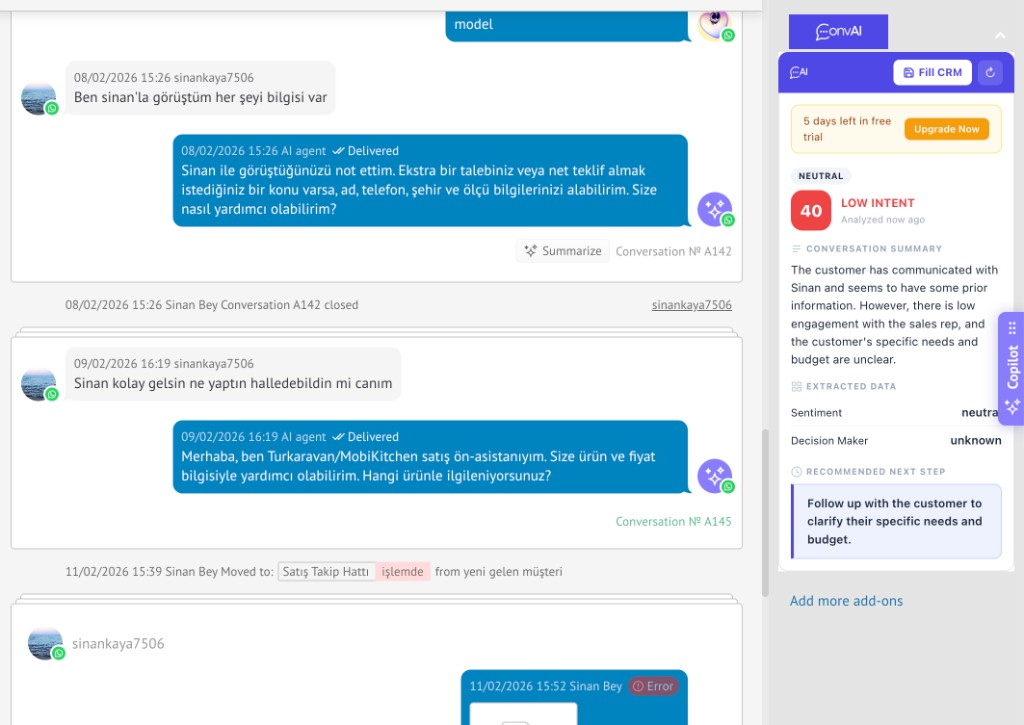
Lead Scoring (0-100)
Every conversation gets an intelligent score that tells your team exactly where to focus.
The scoring engine evaluates buying signals, budget mentions, timeline clarity, decision-maker involvement, and overall engagement level to produce a precise 0-100 score.
- 80-100: Hot - Strong buying signals, budget confirmed
- 60-79: Warm - Interest shown, questions being asked
- 40-59: Moderate - Price sensitivity, unclear timeline
- 20-39: Cool - Low engagement, objections present
- 0-19: Cold - Negative signals or irrelevant
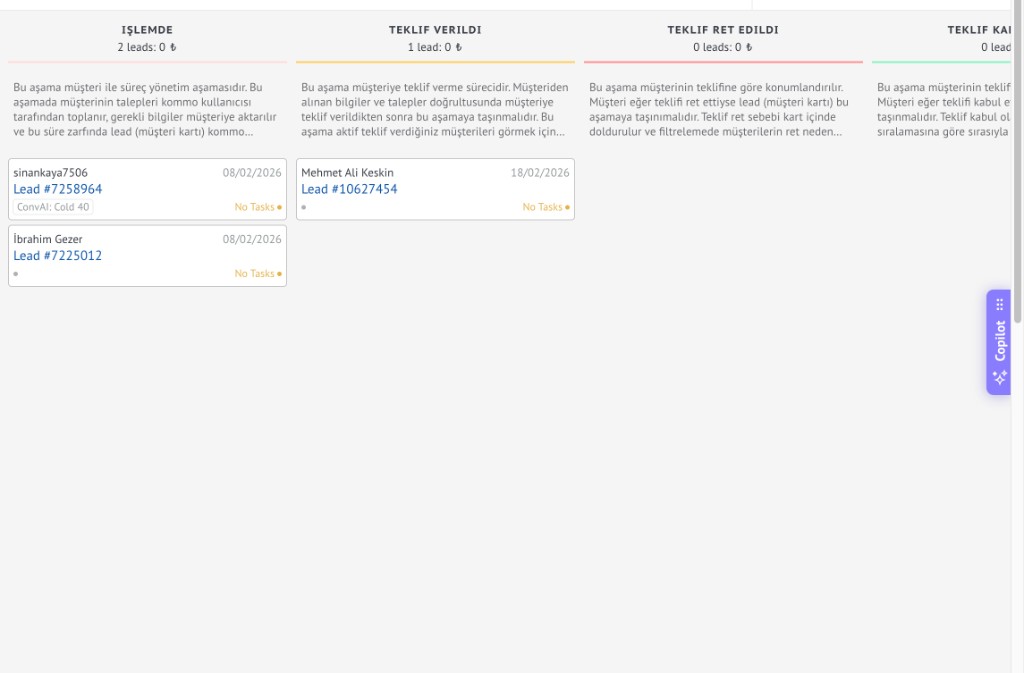
Filter & Sort Leads by AI Score in Kommo
AI scores live inside Kommo - use native filters to focus on Hot leads.
Every analysis writes the 0-100 AI score to a Kommo custom field. Use Kommo's built-in list filters, pipeline views, and reports to instantly surface Hot leads (70+), prioritize Warm leads (40-69), or archive Cold leads (0-39). No new dashboard to learn - everything stays in Kommo.
- AI score auto-saved to a Kommo lead custom field
- Filter pipeline & list views by score range (Hot / Warm / Cold)
- Sort leads by score - prioritize highest-intent prospects first
- Combine with native Kommo filters (date, source, tag, status, owner)
- Build score-based dashboards, widgets, and team reports
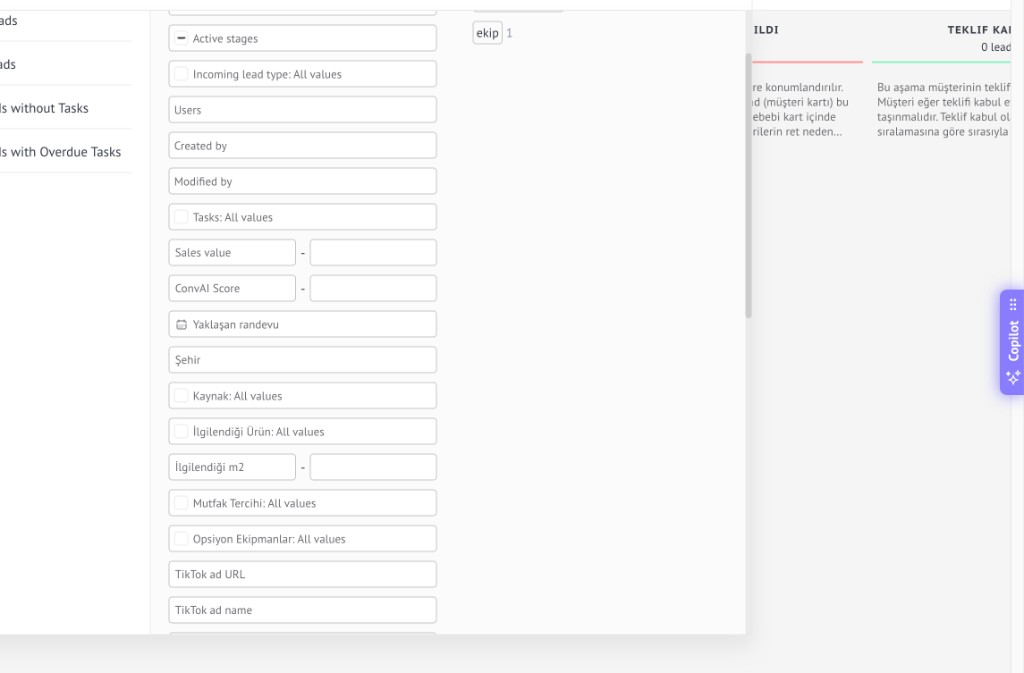
Voice Message Transcription
Never miss important information hidden in voice messages.
Powered by Deepgram Nova-2, ConvAI Lens transcribes voice messages from WhatsApp, Telegram, and other channels with a single click. Transcriptions are automatically saved as Kommo notes and included in future analyses.
- One-click transcription from any voice message
- Multi-language support with automatic language detection
- Saved as Kommo lead note for team visibility
- Included in subsequent conversation analyses
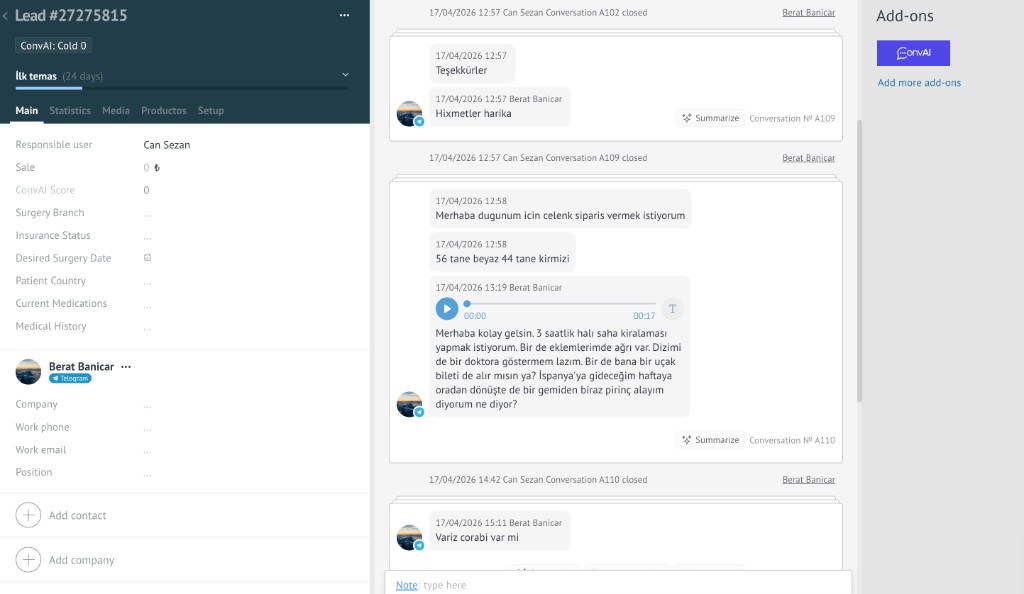
Smart CRM Auto-Fill
Let AI handle the data entry. Focus on selling.
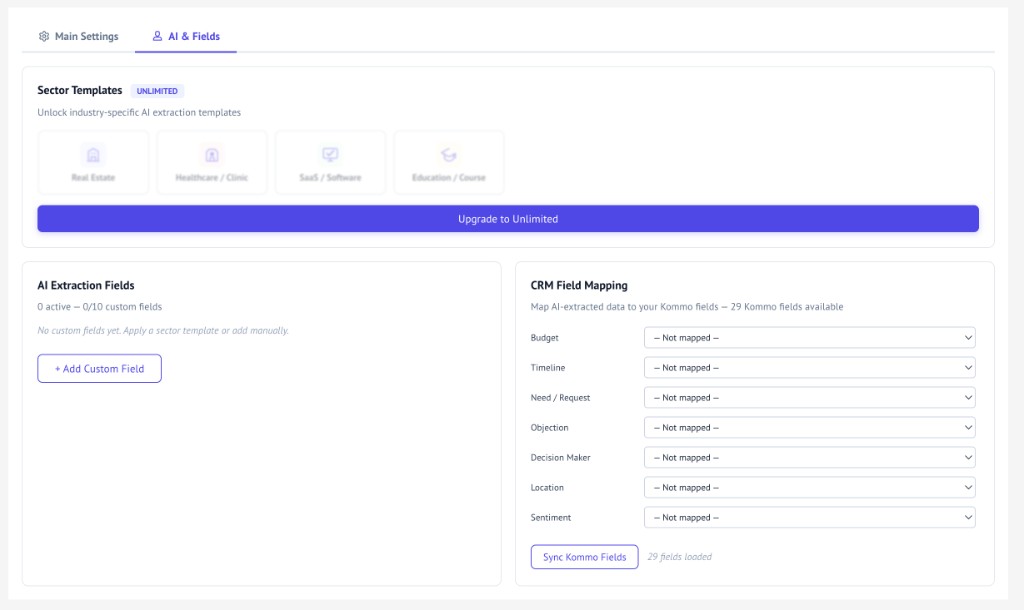
ConvAI Lens extracts structured data from conversations - budget, timeline, customer needs, objections, location, and more - then maps them to your Kommo custom fields with a single click or automatically.
- 7 built-in extraction fields (budget, timeline, need, etc.)
- Map AI fields to any Kommo custom or built-in field
- One-click "Fill CRM" or fully automatic mode
- Supports numeric, date, text, and boolean field types
Automatic Analysis via Webhooks
Set it and forget it. AI works while you sleep.
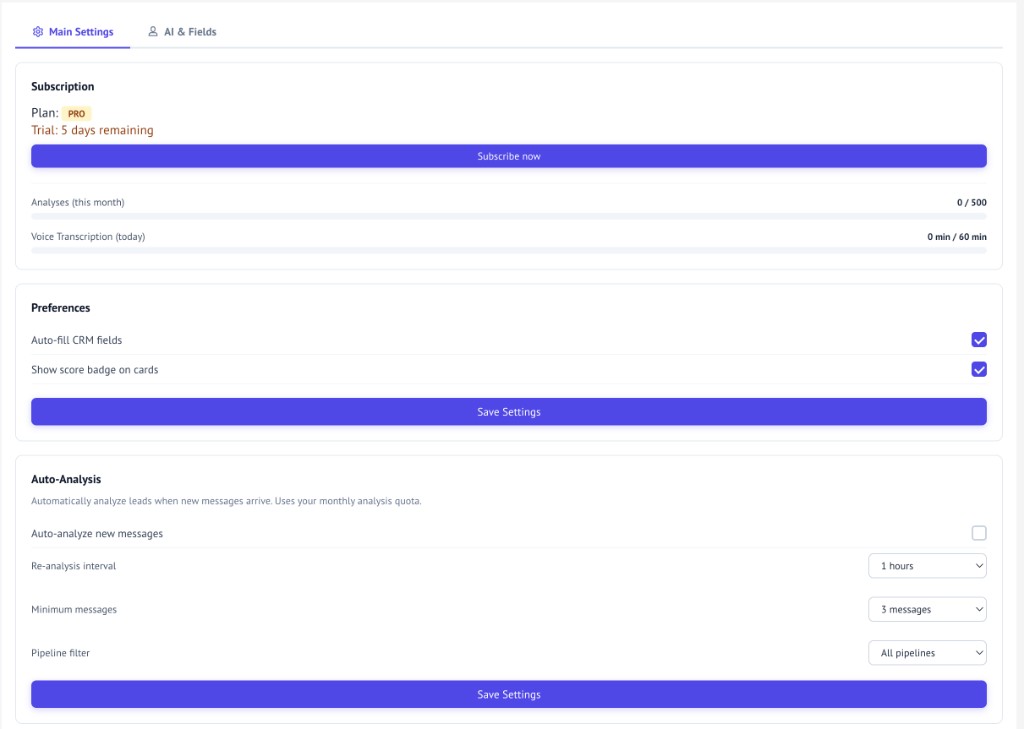
Connect Kommo webhooks to trigger analysis automatically when new messages arrive. Configure cooldown intervals, minimum message counts, and pipeline filters to control when analysis runs.
- Triggered by Kommo lead update webhooks
- Configurable cooldown (1-24 hours between re-analyses)
- Minimum message threshold before first analysis
- Pipeline filter - only analyze specific pipelines
Custom AI Extraction Fields
Your business is unique. Your AI should understand that.
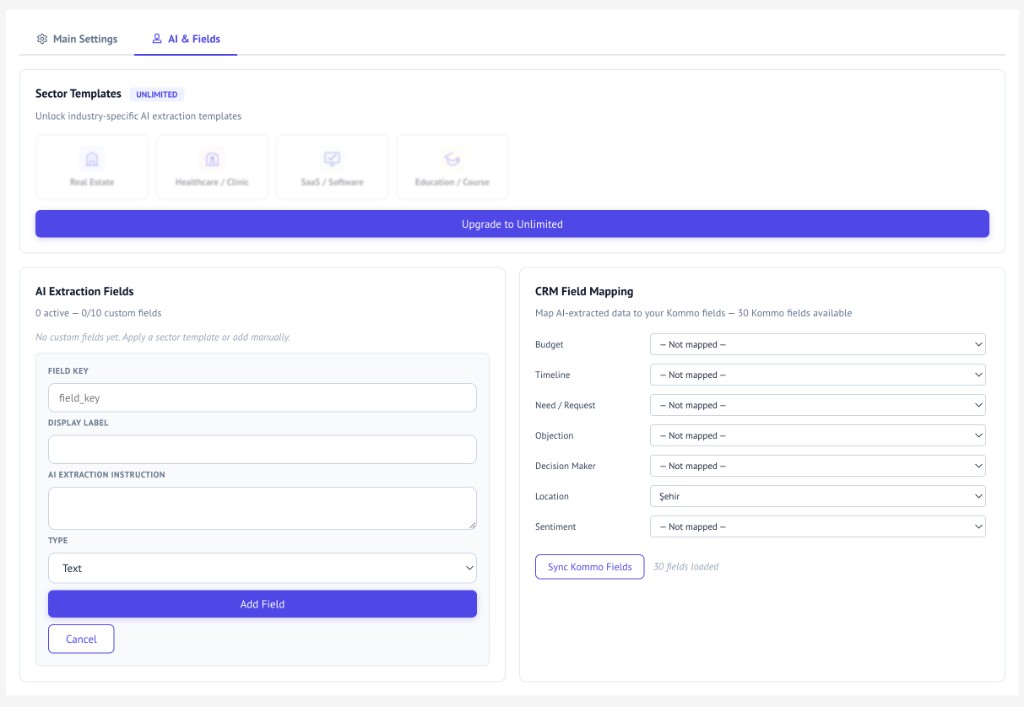
Define custom extraction fields with natural language instructions. Tell the AI exactly what to look for - product preferences, competitor mentions, urgency signals, or anything specific to your sales process.
Sector Templates
Pre-configured extraction fields for your industry.
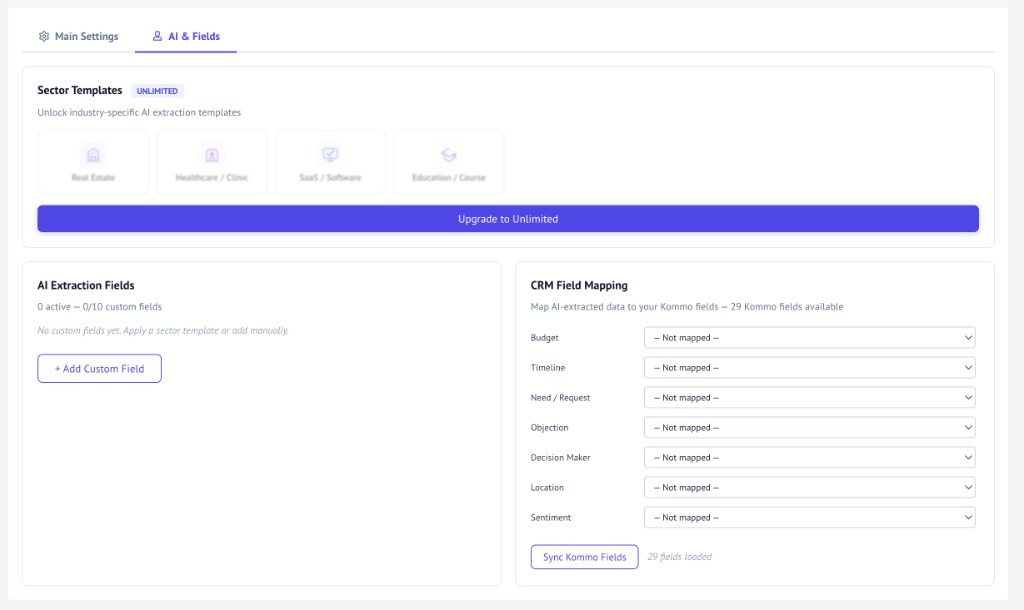
Choose from industry-specific templates that instantly add relevant extraction fields: e-commerce (product category, size, color), SaaS (user count, integration needs), real estate (property type, rooms, area), and more.
Ready to Score Every Lead with AI?
Start your 5-day free trial today. No credit card required.
Start Free Trial